Use case
Lists for film sets
Are you in charge of camera, props or wardrobe on set? Use the template to set up your list, whether it’s a packing list, an equipment list, a props list or a wardrobe list, and print labels for everything without a barcode. After every shooting day, photograph the boxes with the Scan2List app and see what’s missing.
Where are you starting from?
Depending on what you already have, you may not need the template at all, or only for part of it.
Path A
My list is complete
You can load the list from the production office or the rental company straight into the app.
Path B
My list needs more entries
Props and wardrobe from your own stock are still missing from the list.
Your list
Download the template or use an existing list, for example from the production office or the rental company. For each item, enter the box it belongs in.
| Code | Name | Quantity | Box | Department | Value | Notes |
|---|---|---|---|---|---|---|
| CAM-1001 | Camera body | 1 | K01 | Camera | 65000 | |
| CAM-1010 | Lens 18 mm | 1 | K02 | Camera | 14000 | |
| Vintage telephone (scene 12) | 1 | P01 | Props | 180 | ||
| Lead actor’s coat | 1 | Rail 1 | Wardrobe | 420 |
Fill in the template in Excel, Numbers or Google Sheets. Then use the generator to create codes and labels and to save the list for the app.
How it works
On set, things get lost quickly after a shooting day: a lens stays on the camera cart, a wireless receiver ends up in the wrong box. With Scan2List you decide once before the shoot which item belongs in which box. After wrap, you photograph the boxes and see right away what’s missing, while everyone is still there.
on the computer
1. Set up the list
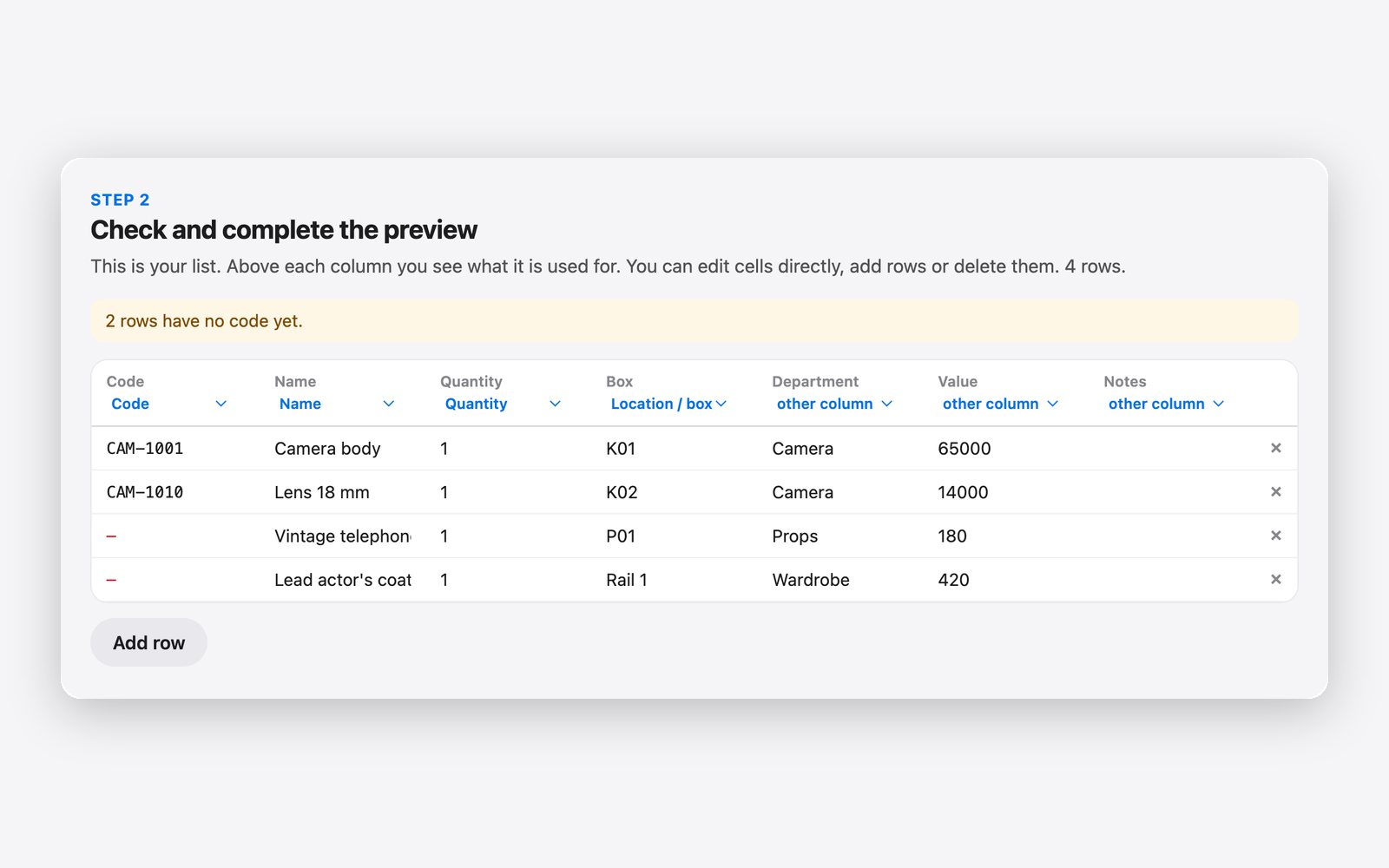
Often there is already a list, from the production office, the production company or the rental house. Then load the Excel or CSV file straight into the generator and check in the preview that the columns were recognized correctly. If there is no list, use the template and enter everything. Add what is still missing, for example props and wardrobe from your own stock. For each item, enter the box it belongs in, for example “K01” or “Rail 1”, and the quantity if there are several identical items. Every box later becomes its own area in the app. So at the end you see not only that something is missing, but also which box it should have been in.
on the computer
2. Print labels
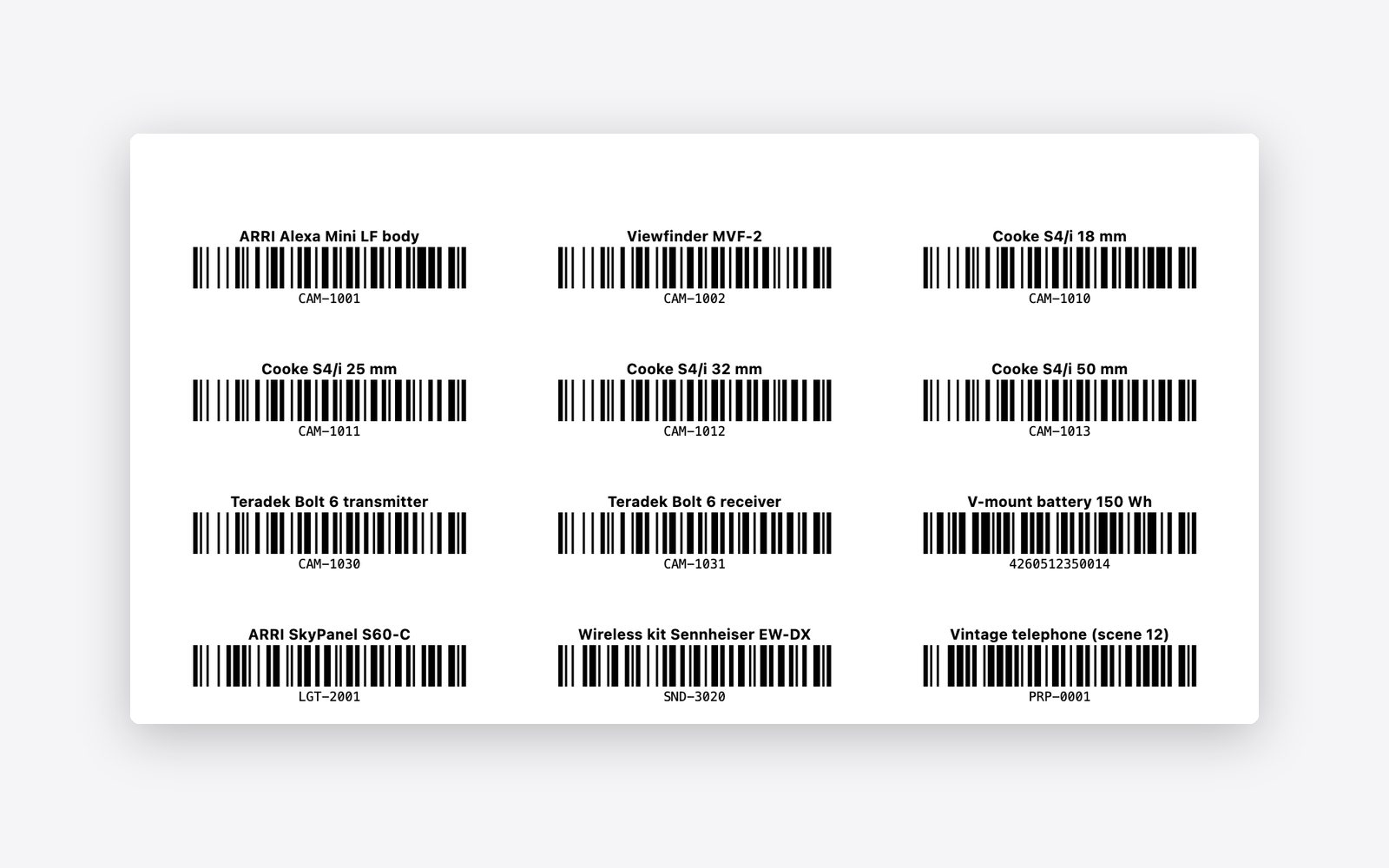
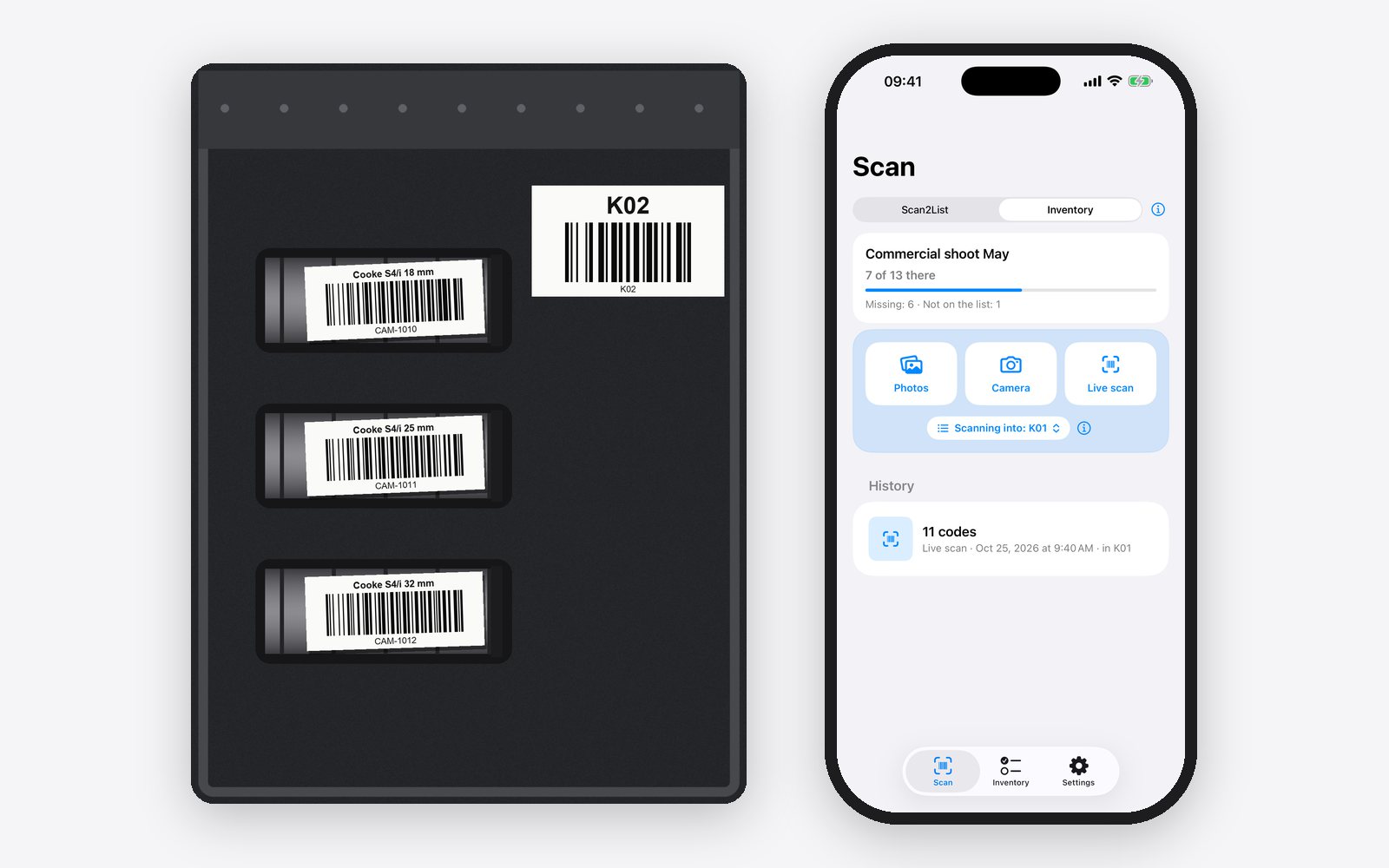
Rented gear usually already has barcodes from the rental house. You simply photograph those, nothing needs new labels. For props, wardrobe and everything else without a barcode, click “Create codes” in the generator, for example with the prefix PROP- for props. You can also print large labels for the boxes themselves, with the box name as a barcode. On the outside of the box they help with packing, and in photos they show which box you have in front of you.
on the computer on the iPhone
3. Get the list onto your iPhone
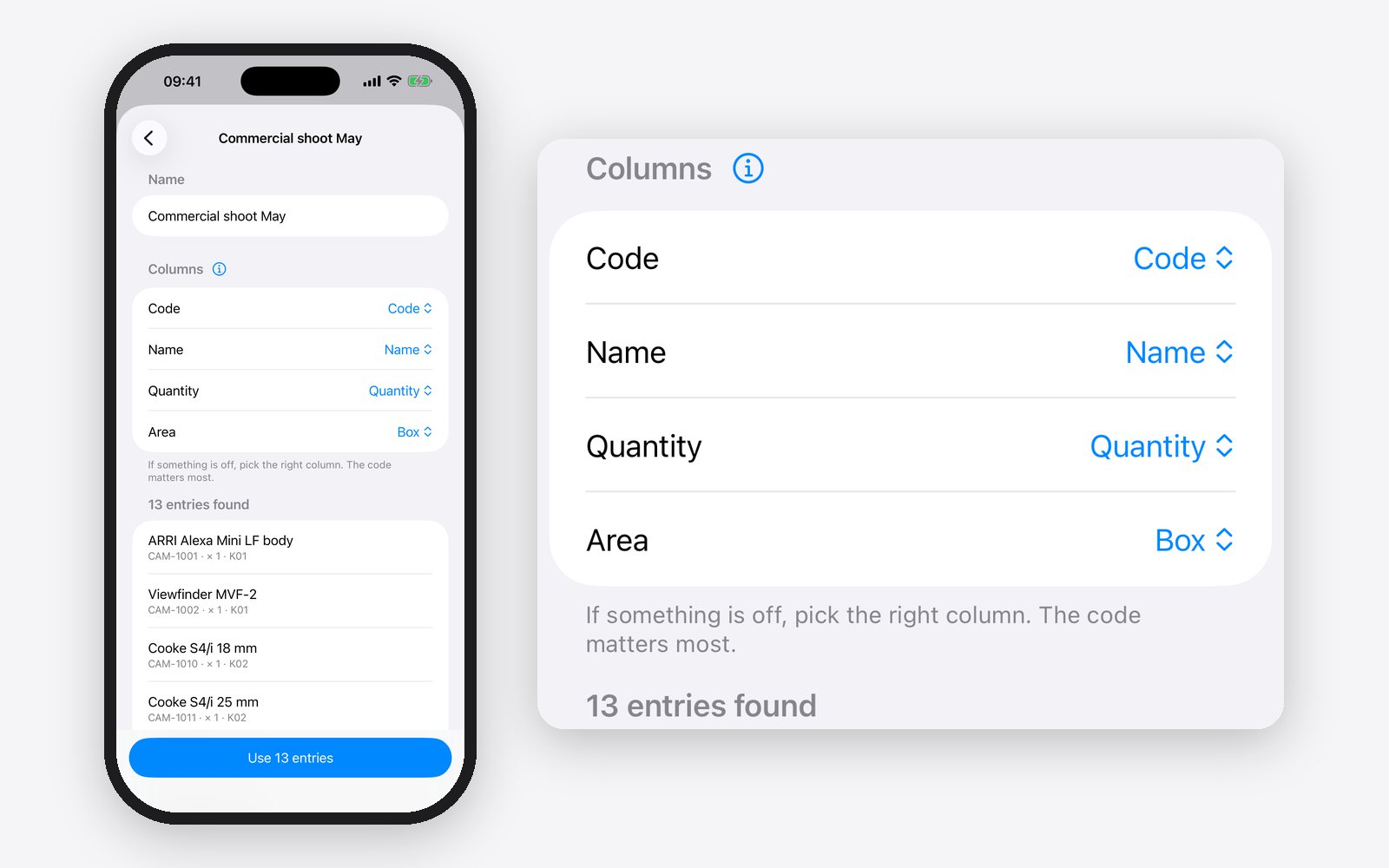
Save the list in the generator with “Save CSV”, or save the filled-in template as a CSV file. Send the file to your iPhone, via AirDrop, by emailing it to yourself or via iCloud Drive. In Scan2List, tap “Inventory” at the bottom, then “Start inventory” and “Load a list”. An area is created automatically for every box. The list is now ready for the whole shoot.
on the iPhone
4. Photograph the boxes after wrap
Under “Scanning into”, choose the box in front of you, open it and photograph it from above. The app reads all labels in the box at once. If an item is not in the box or a label is covered, add it with the live scan. That way a box only takes a few seconds, even when it’s full.
on the iPhone
5. See what’s missing
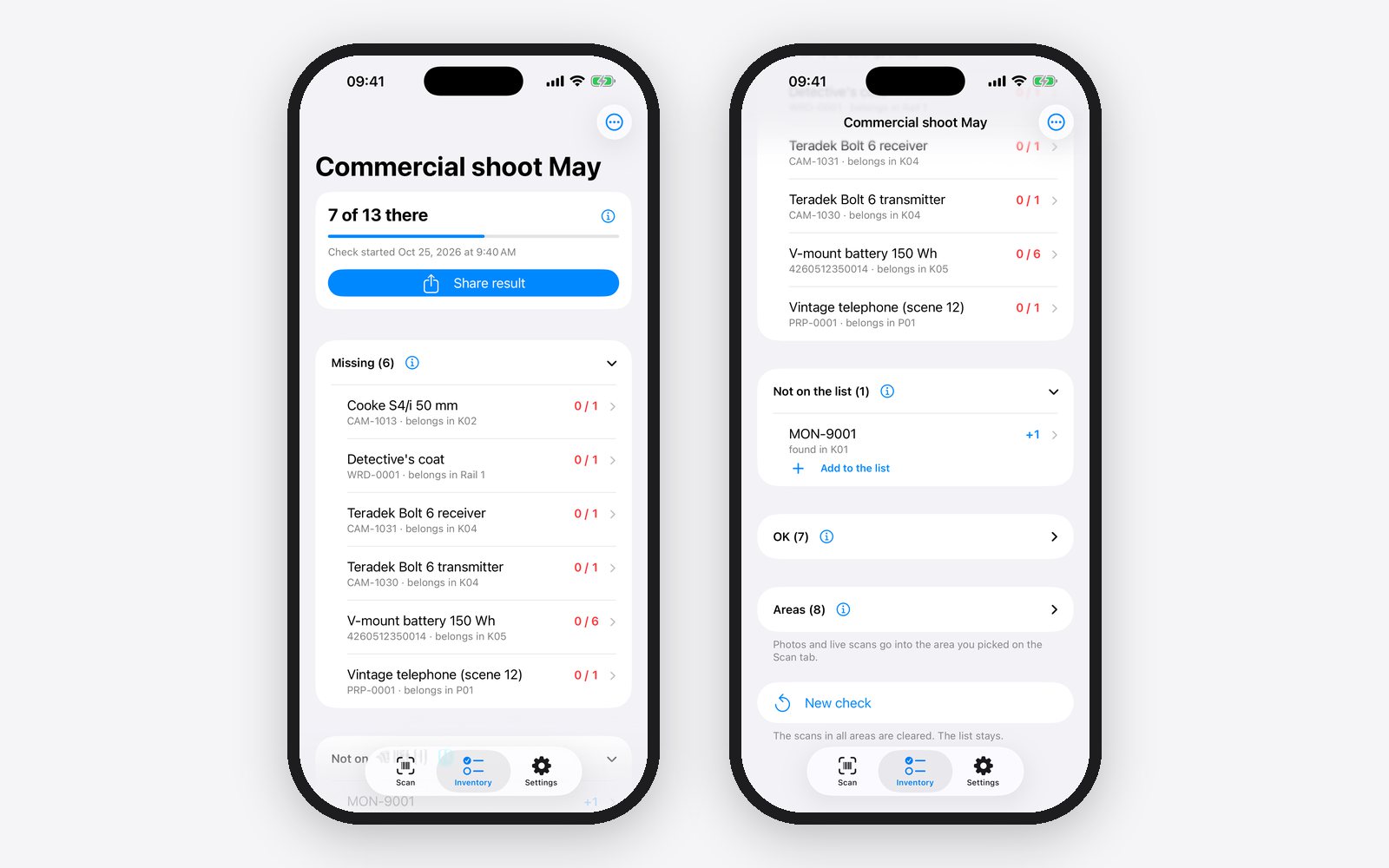
In the “Inventory” tab you see how many items are there and what’s missing. Every missing item shows the box it belongs in, for example “Teradek Bolt 6 receiver, belongs in K04”. So you can search on purpose while the crew is still on set and remembers where it was last. If an item turns up that is not on the list, such as an extra monitor, add it with “Add to the list”.
on the iPhone
6. On the next shooting day and on return
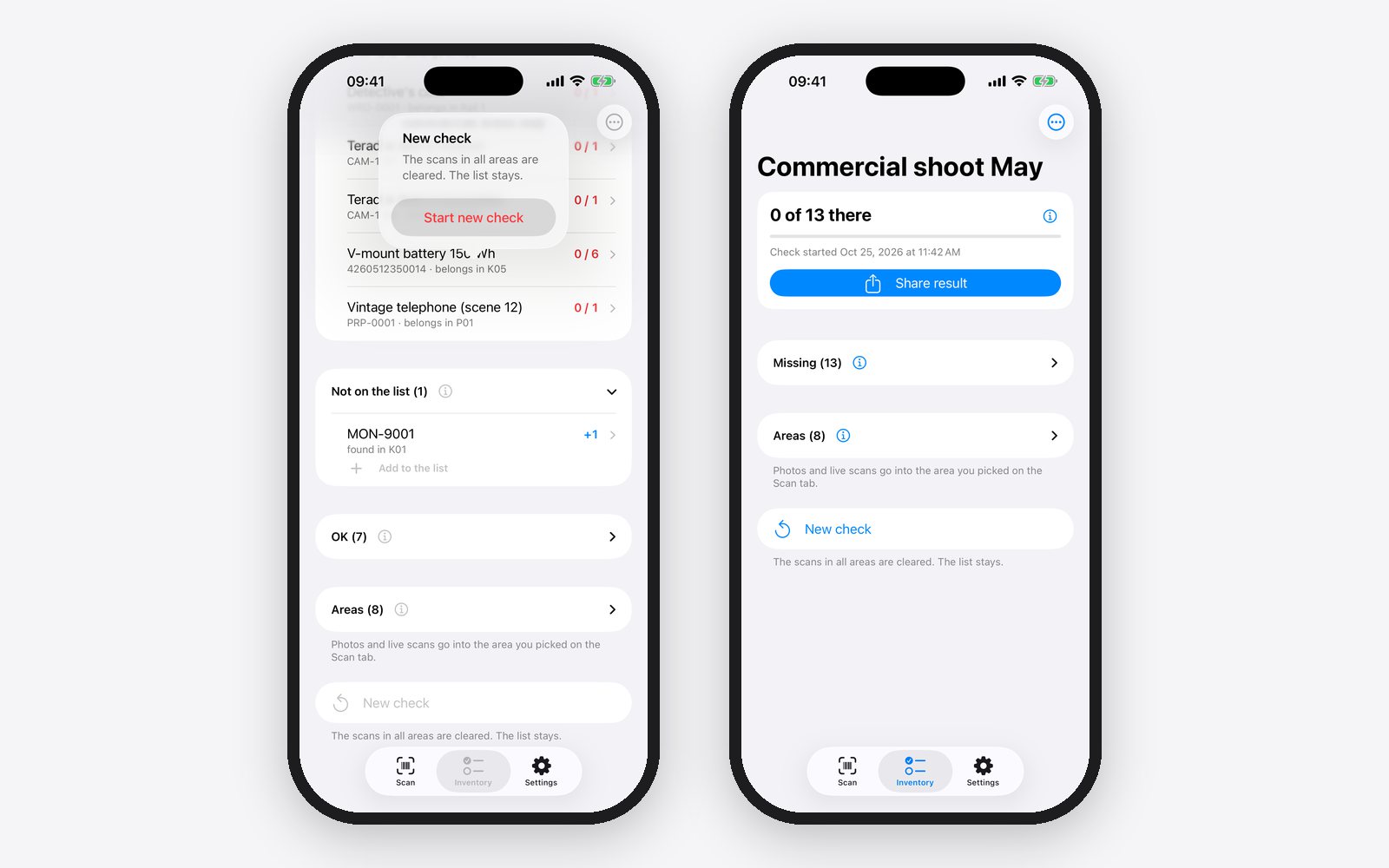
On the next shooting day, tap “New check”. The photos from the day before are cleared, the list stays, and you start again with the boxes. On return, tap “Share result” and send the table to the production company or the rental house.
What you get
You notice the same evening if something is missing, not only at the return, when the crew is gone and the rental house sends an invoice. The check only takes as long as it takes to photograph each box once. You don’t need to relabel rented gear, and one list covers the whole shoot. Template, generator and app are free and work on location without internet.
Questions
Do I need to relabel rented gear?
No. Barcodes that are already on it, you simply photograph.
Do I need internet on location?
No. The app reads the barcodes directly on the iPhone.
Where do I get the list as a file?
Usually from the production office, the production company or the rental house. Ask for an Excel or CSV file. You can also create the list from scratch with the template.
Does it cost anything?
The template and the generator are free. The app is free too and shows ads. Scan2List Pro removes the ads.
Note: the result is only as accurate as your list, your labels and your photos. We give no guarantee. Scan2List does not replace a check you have agreed on, for example with a rental company or an insurer, and it is not legal or tax advice. More in our legal notice (in German).