
Scan2PDF mode
Scan documents, fill them in and share them as PDF
You have a letter, an invoice or a form on paper, and someone needs it as a PDF. With Scan2List you scan the sheet with the camera, fill it in if needed and send the PDF on. It is completely free.
How it works
Step 1
Scan
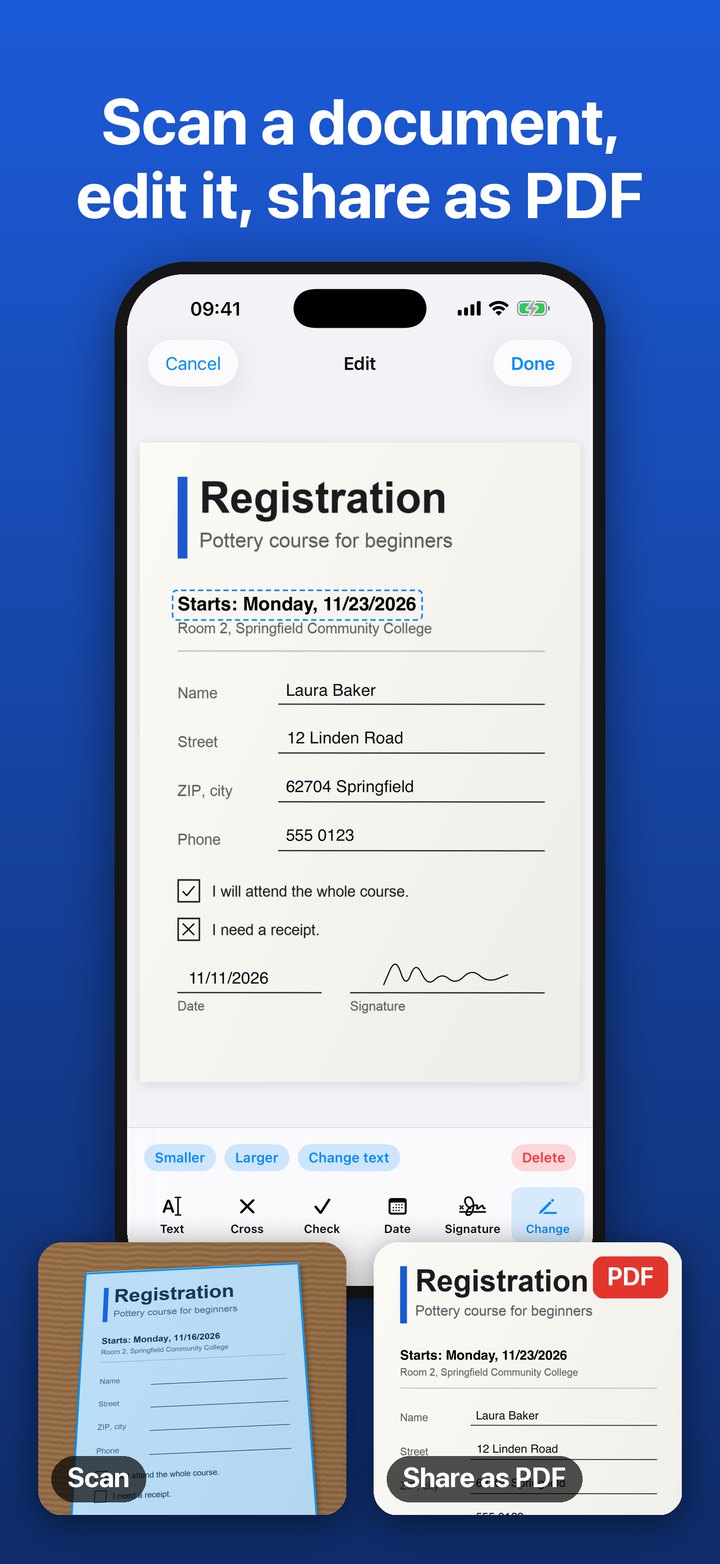
Tap “Scan” and point the camera at the sheet. A blue frame shows what the app recognizes as the page. After the shot you see a preview. The app crops the page and straightens it. If your document has several pages, tap “Another page”. Instead of scanning, you can also import pictures from your photos.
Step 2
Edit and fill in
Open the document and tap “Edit”. You can type text, set a cross or a check mark, insert today’s date and sign with your finger. Everything can be moved, made larger or smaller and deleted again afterwards. The app remembers your signature, so you don’t have to draw it again for the next form.
Step 3
Share as PDF
Tap “Share PDF”. You can send the PDF by email or message, save it to “Files” or print it. The app recognizes the text on the pages, so you can search the PDF and copy text from it.
What else you can do
Change printed text
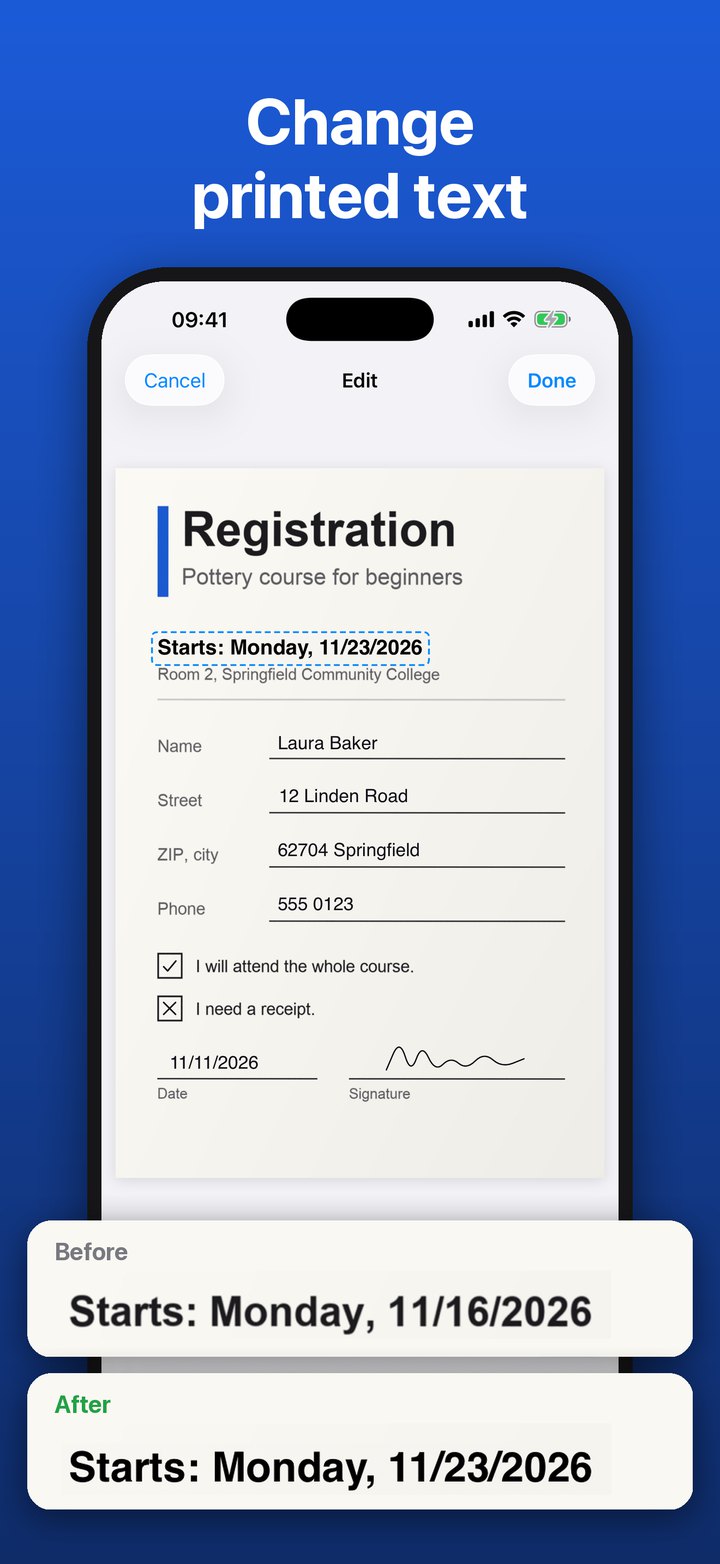
Is there a wrong date or an old name on the sheet? Choose “Change” and tap the printed line. The app covers it in the color of the paper, and you write the new text in the same place.
Merge several scans into one PDF
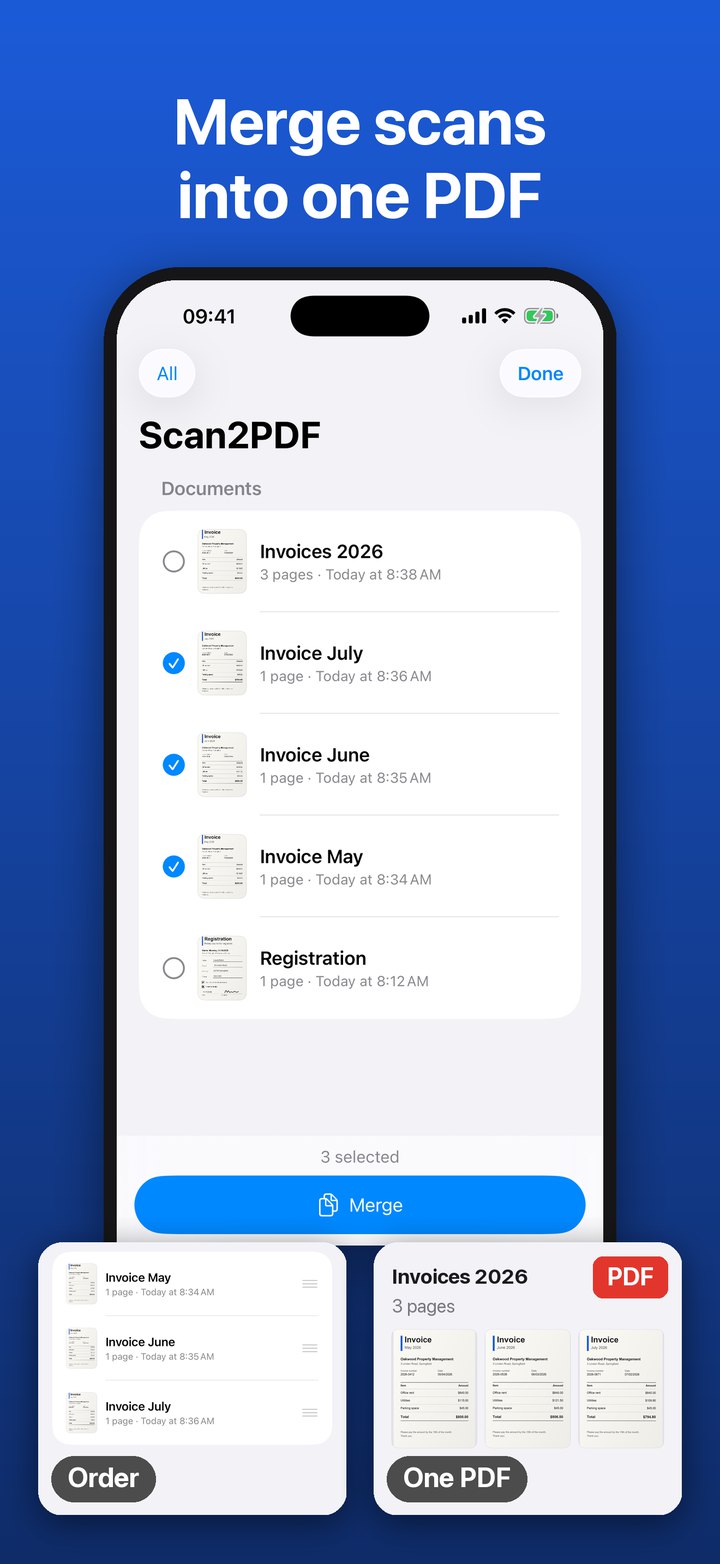
In the list of documents, tap “Select”, mark the documents and tap “Merge”. You set the order and get a new document with all the pages. The single documents are kept.
Arrange pages
In a document, press and hold a page and drag it to where you want it. You can rotate pages, delete them and add new ones.
Color or black & white
At the top of the document you switch between “Color” and “Black & white”. The choice applies to the whole document. Black & white often makes text easier to read and the PDF smaller.
Step by step in the guides: Scan a document on iPhone, Edit a scanned document, Fill in and sign a form, Merge scans into one PDF and Convert a photo to PDF.
What you don’t need
No account, no sign-up. No scanner, the camera is enough. No internet: the app works on your iPhone, and your documents are not uploaded. And no money: scanning, filling in, merging and sharing are free, with no limit.
Where this helps every day
A form arrives by mail
Scan it, fill it in, sign it and send it back as a PDF, without a printer and without a pen.
Invoices and receipts
Scan receipts for your taxes or your bookkeeping and merge several into one PDF.
A contract has to go back signed
Scan page by page, sign in the right place, insert the date, send it off.
Filing letters
Scan mail from a government office, your insurer or your landlord and save it to “Files”. Because the text is recognized, you find the letter later with a search.
Sign-up for a club, a course or school
Scan the sheet, type in name and address, tick the boxes and send it back.
What the mode cannot do
The app works with paper you scan and with pictures from your photos. It cannot open PDF files you already have, for example from “Files” or from an email.
And if you want to capture barcodes or check your stock?
Then you use one of the other two modes. In Scan2List mode you photograph barcodes and get them as a list for Excel. In Inventory mode you load a list and see what is missing. At the bottom of the app you switch between the three modes.
Try it with your next letter
Scan2List is completely free and runs on any iPhone with iOS 16 or later.